CashSheet POS for small pizzerias.
A pizza builder with halves, phone and delivery orders, orders ahead with deposits, and a till that keeps ringing when the internet drops. Priced as software, with your own card processor.
What a pizzeria needs from a till, and nothing it has to pay a cut for.
A pizza builder, not a list of 400 buttons
Pick the size, the crust, then toppings — whole, left half or right half. The till prices it from your size-by-crust matrix, so a large thin crust with two toppings on one half costs what your menu says it costs, every time.
Phone, pickup, delivery and dine-in
Each ticket carries its occasion, so the kitchen, the driver and the end-of-day report all know what kind of order it was. Customer accounts keep the address and phone number for the next call.
Orders for Saturday, taken on Tuesday
Take a party order days ahead, with a deposit if you want one. The deposit is held as owed to the customer until the order is picked up, then counted as a sale — so Tuesday's drawer isn't inflated by Saturday's pizza.
Keeps ringing when the internet drops
The till runs on the machine at the counter, with its own database. Tickets, the kitchen screen and end of day carry on without a connection, and sales sync to the Back Office when it comes back.
Dual pricing at the tender
Choose a cash discount, dual pricing or a surcharge once per store. The till quotes the cash and card price when the cashier picks the tender, itemises it on the receipt, and keeps it apart from sales so the drawer still balances.
Your card processor, not ours
CashSheet never sells processing and takes no share of your card volume. Cards run on the processing your ISO or agent already provides, and if you change processor, the till stays.
From the first topping to the cash price, in three screens.
These are real screens from the CashSheet Windows till, not mockups.
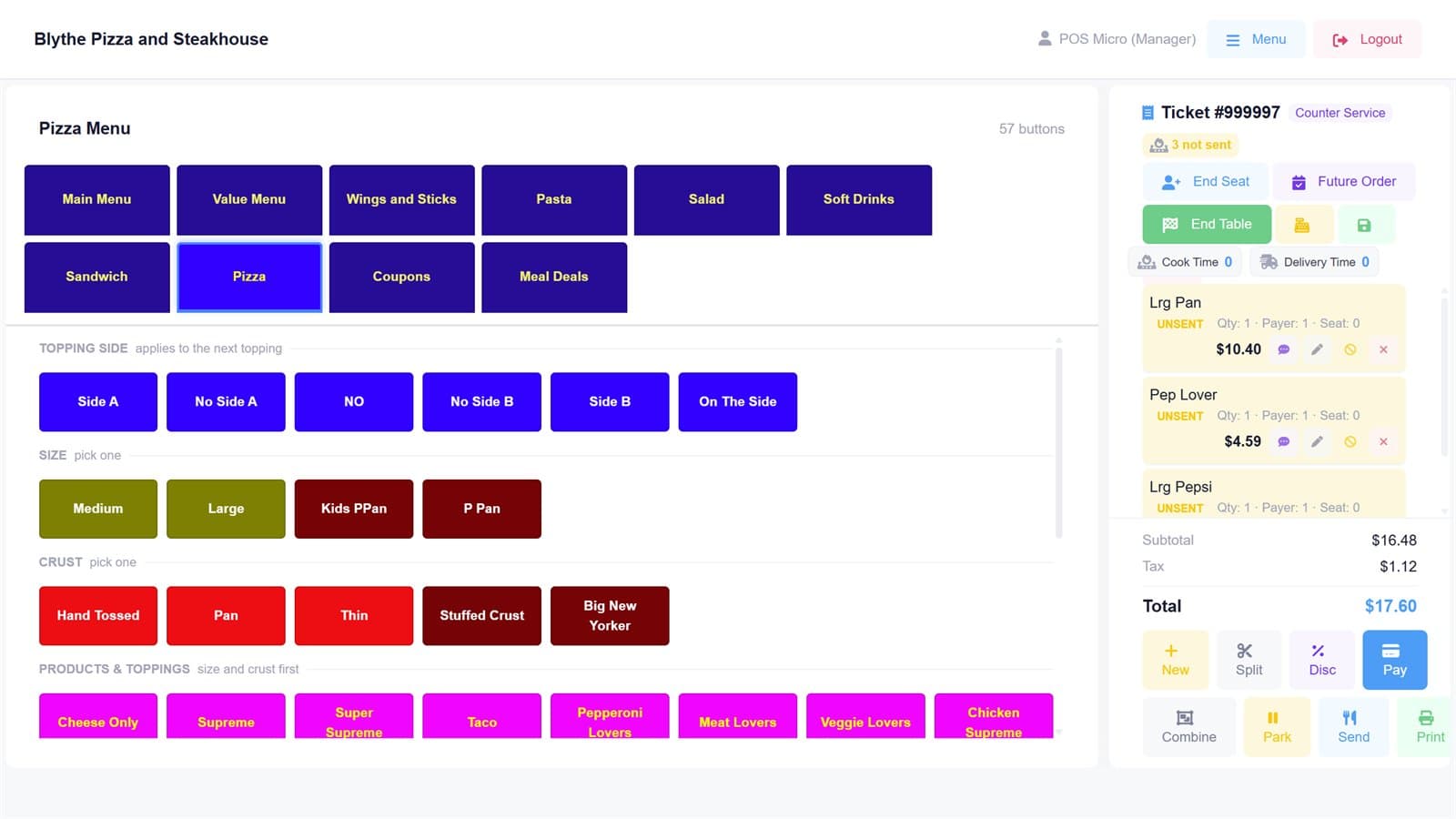
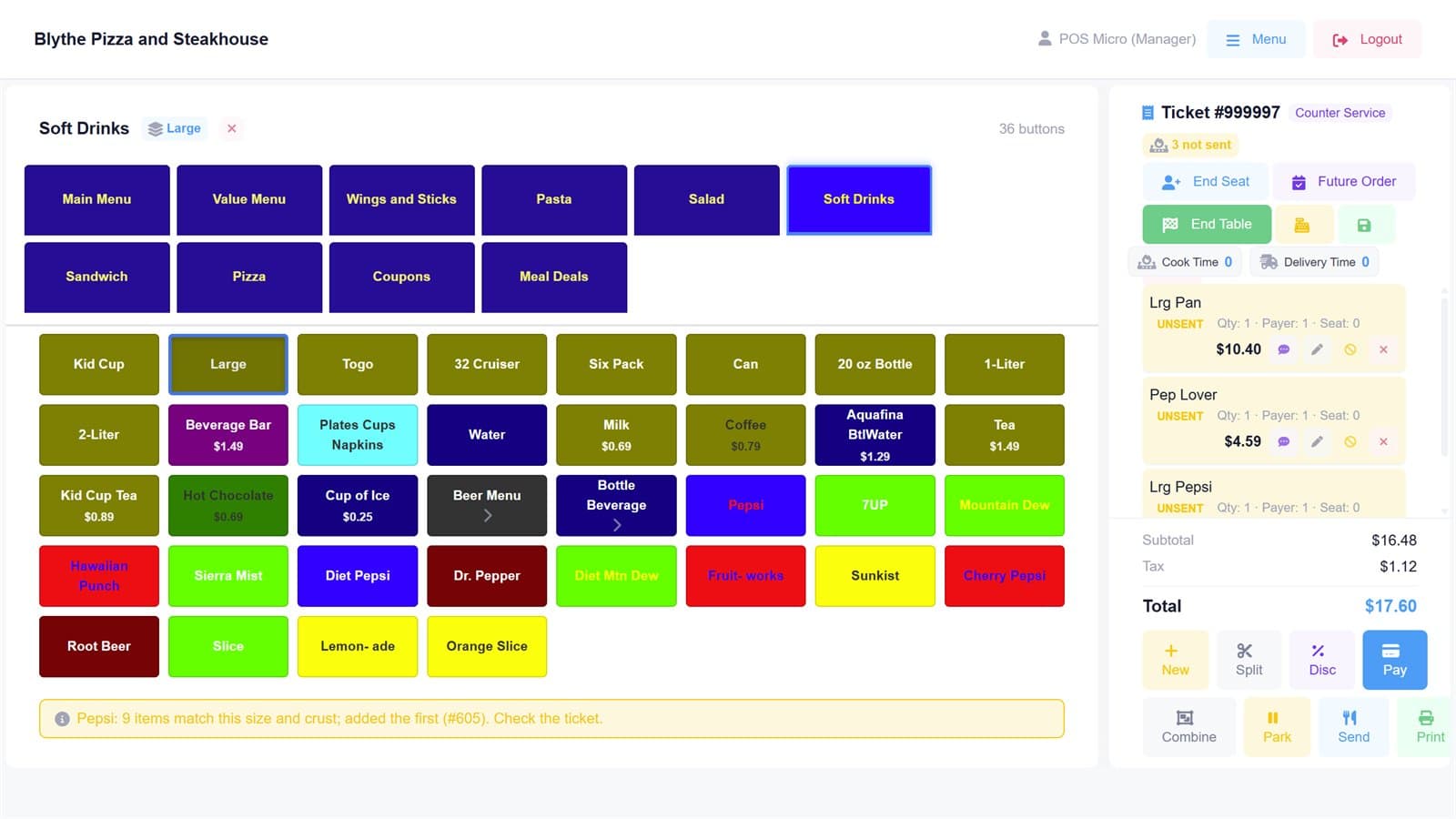
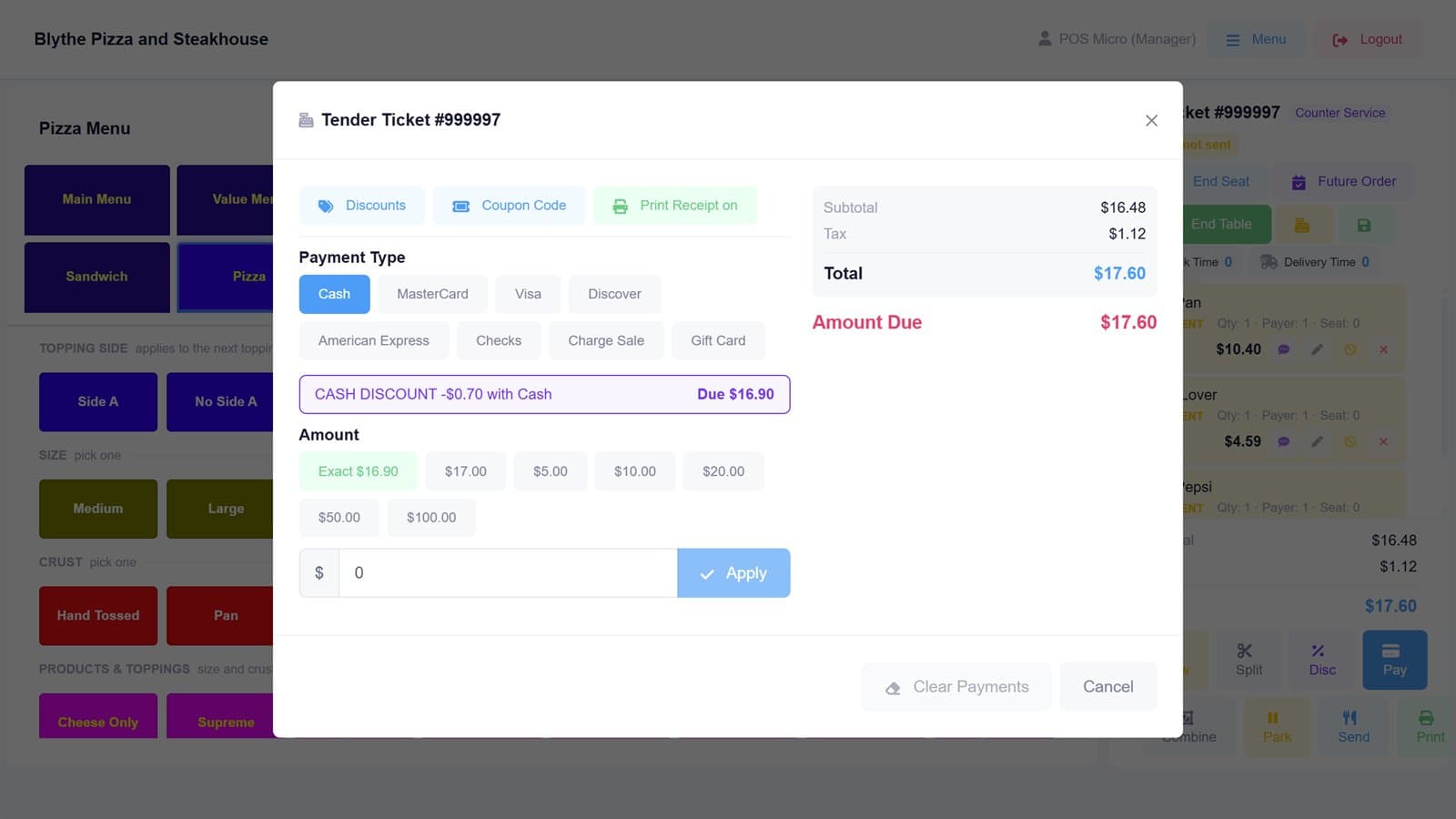
Know what a large supreme really costs you, and where the cash went.
Every sale lands in the CashSheet Back Office, in your browser, next to your recipes, counts and the cash sheet.
Recipes down to the dough ball
A pizza is a dough ball, sauce, cheese and toppings, and the dough ball is its own recipe. Cost them once and the Back Office works out what each size and crust costs to make.
Food cost from what actually sold
The Back Office reads each day's product mix from the till, so theoretical usage comes from real sales, ready to set against your counts.
One drawer, one count
Floats, payouts and counts per register, and an end of day that tells you which till still has an open ticket. The cash sheet reconciles against what each drawer actually took.
Pizzeria POS questions, answered.
What is the best POS for a small pizzeria?
One built around how pizza is actually ordered: a size, a crust, and toppings on the whole pie or on one half, priced from a matrix rather than from hundreds of separate buttons. It should also handle phone, pickup and delivery orders, keep trading when the internet drops, and let you keep your own card processor. CashSheet POS is built for exactly that kind of shop: one to a few locations, counter and delivery, with an owner who watches cash and food cost closely.
How does CashSheet price half-and-half pizzas?
Toppings can go on the whole pizza, the left half or the right half, and the till prices the result from your size-by-crust-by-topping matrix in the Back Office. Change a price there and every till picks it up on its next sync.
Does the POS keep working if the internet goes down?
Yes. The Windows till keeps its own database on the machine, so tickets, the kitchen screen and end of day carry on without a connection. Sales sync to the Back Office when the connection returns.
Can I take orders ahead with a deposit?
Yes. A future order holds the pickup date and time, and can take a deposit. The deposit is recorded as owed to the customer until the order is collected, so it does not inflate the day it was taken.
Do I have to switch card processors?
No. CashSheet never sells processing. Cards run on the processing your ISO or agent already provides, and the software stays yours if the processing ever changes.
How do I get my pizza menu into the POS?
Hand the AI connector a photo of your menu board, a PDF or a spreadsheet. It builds the whole size-by-crust-by-topping matrix and the builder screen, shows you a dry run of exactly what it will create, and writes only after you approve.
What hardware does it need?
A Windows 10 or 11 machine with a touchscreen, a receipt printer and a cash drawer, plus a semi-integrated card terminal from your processor. A kitchen screen is any screen on the same network, or tickets can print in the kitchen.
How much does it cost?
There is a free plan, and paid plans start with a one-month free trial. Prices are on the plans page. CashSheet charges for software only, never a percentage of your card sales.
Bring your menu. We'll build the matrix.
Send a photo of your menu board and see your pizzas on a CashSheet till before you decide anything.
Get started free